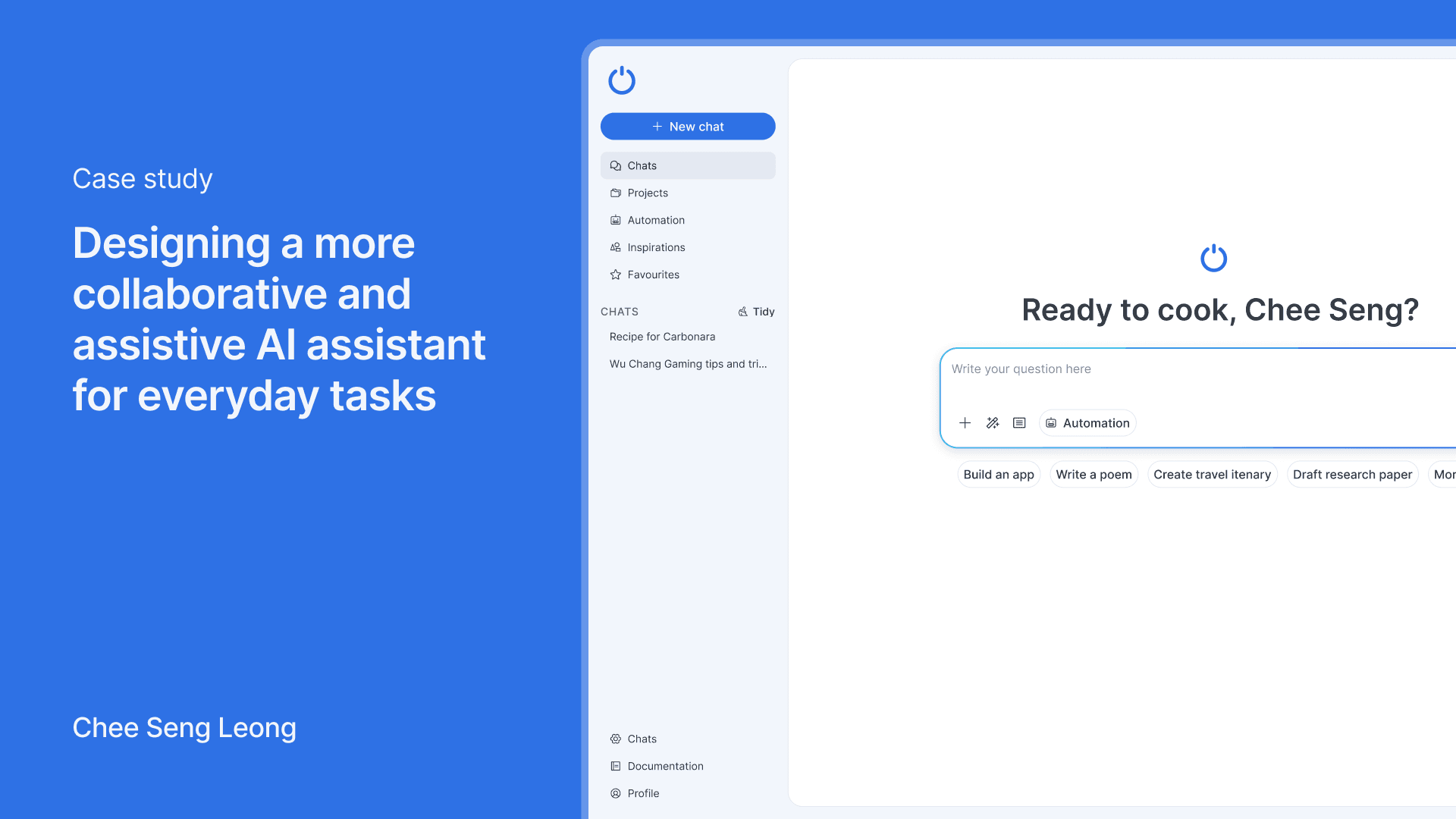
Client
None
Year
2025
Team size
1
My role
Product Designer
Impact
Tidy chat and project features highlighted as highly useful.
Demonstrated independent ability to research, prototype, and validate an AI product concept.
Users reported improved collaborative experience with AI compared to standard assistants.
Project context
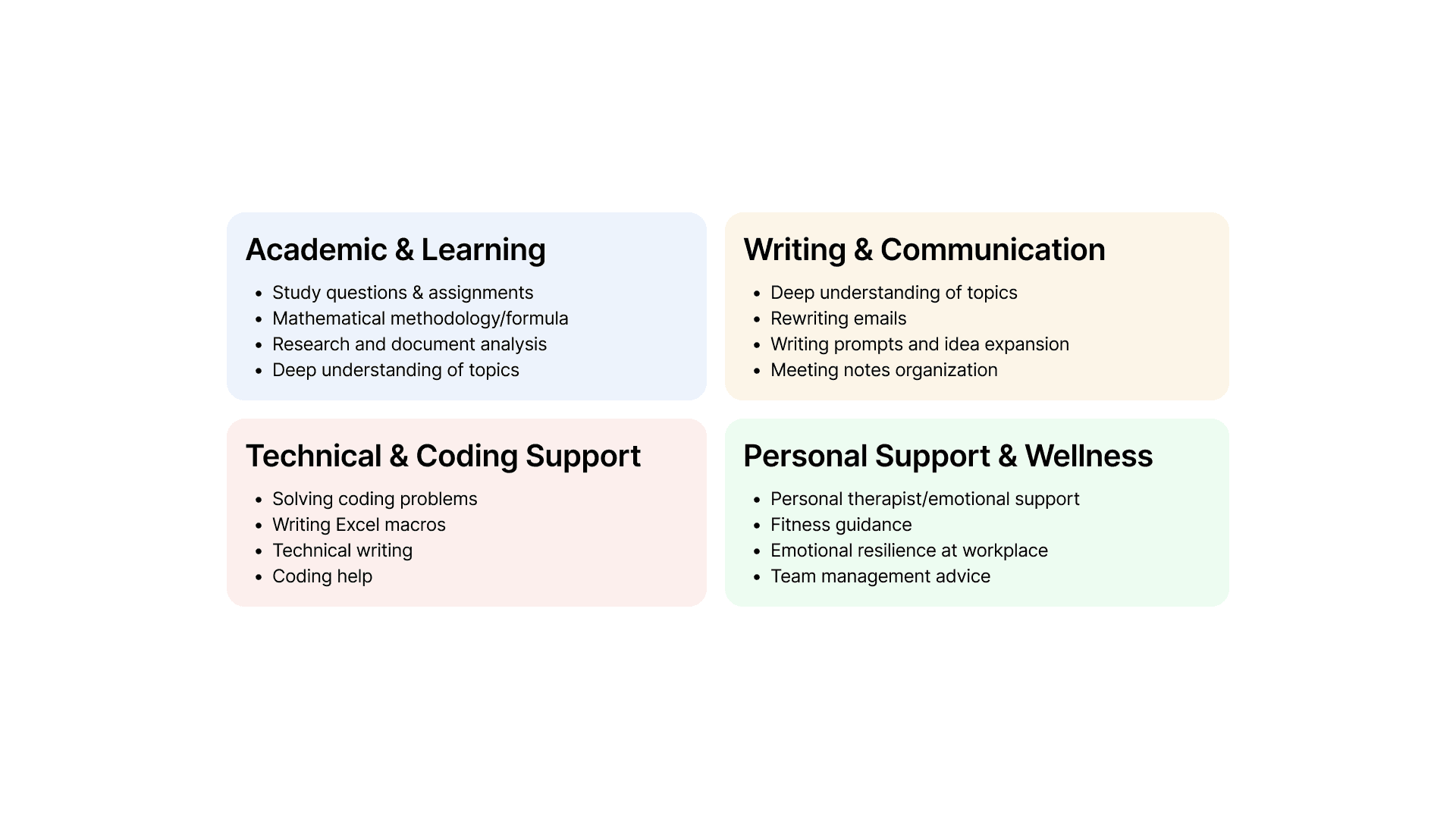
Modern AI assistants were often overwhelming, impersonal, or lacked collaborative guidance. Surveyed 41 users (25–35 dominant) and conducted interviews to validate pain points around personalization, collaboration, and onboarding.
Scope
Independently designed and built a functioning prototype using vibe coding. Introduced features for collaborative AI interaction: chat tidying, project-based context, one-click prompt suggestions, and task automation. Defined brand identity, logo, and interaction metaphors.
Verifying the severity of the problem through surveys and user interviews
The initial discovery research involved quantitative and qualitative research methods as they could provide the answers to behavioural questions and verify the severity of a particular problem
Diving into the survey data
41 people answered the survey. Most of the users (43%) were age between 25 - 35. The other 57% are made up of a combination of users from age 18-25, 35-44, 45-54, 55-64
More than half of the users use AI assistants multiple times a day
58% of them use AI assistants in different scenarios like professional, personal and educational. The rest uses specifically for one purpose.
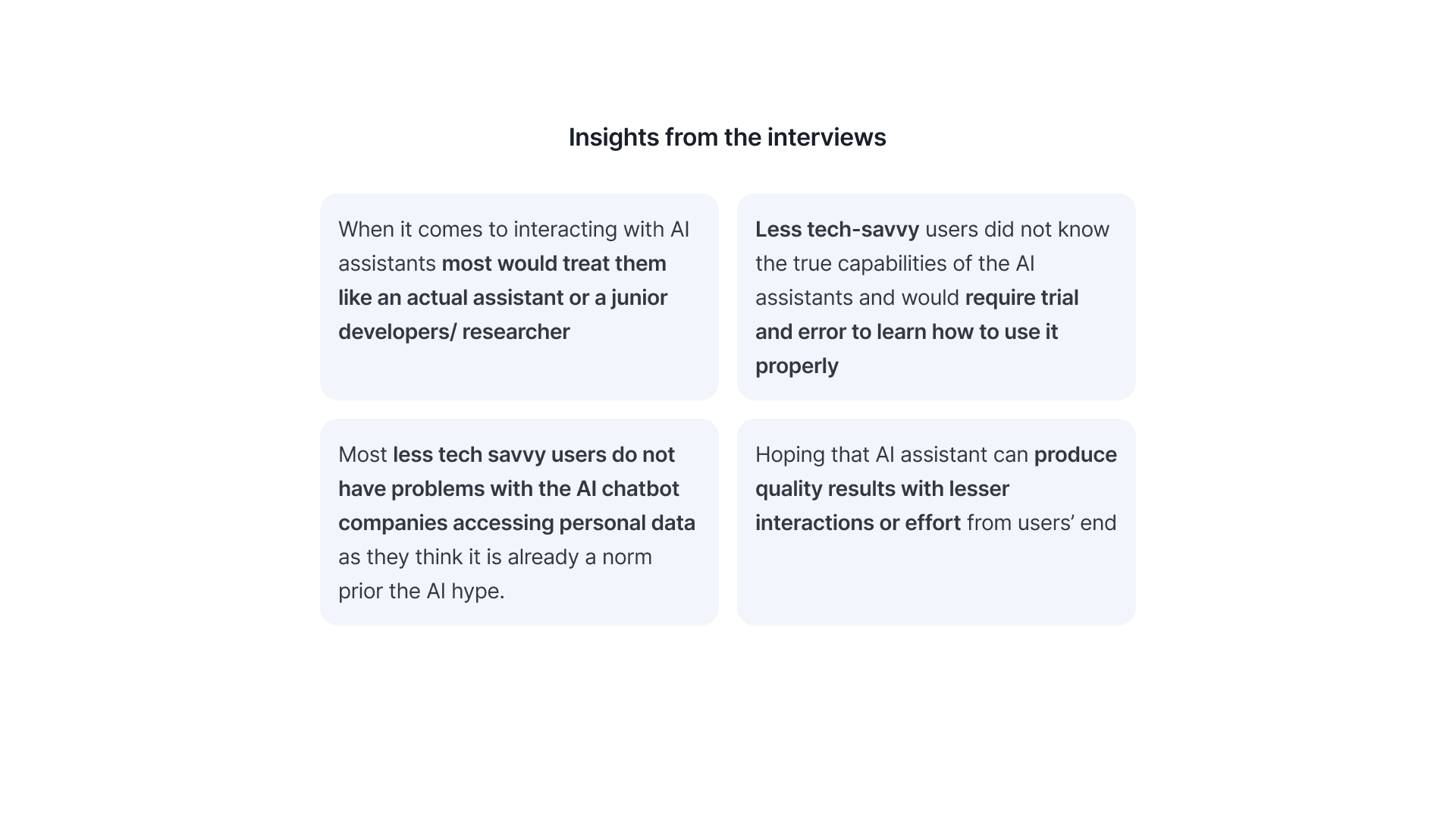
Insights from the interviews
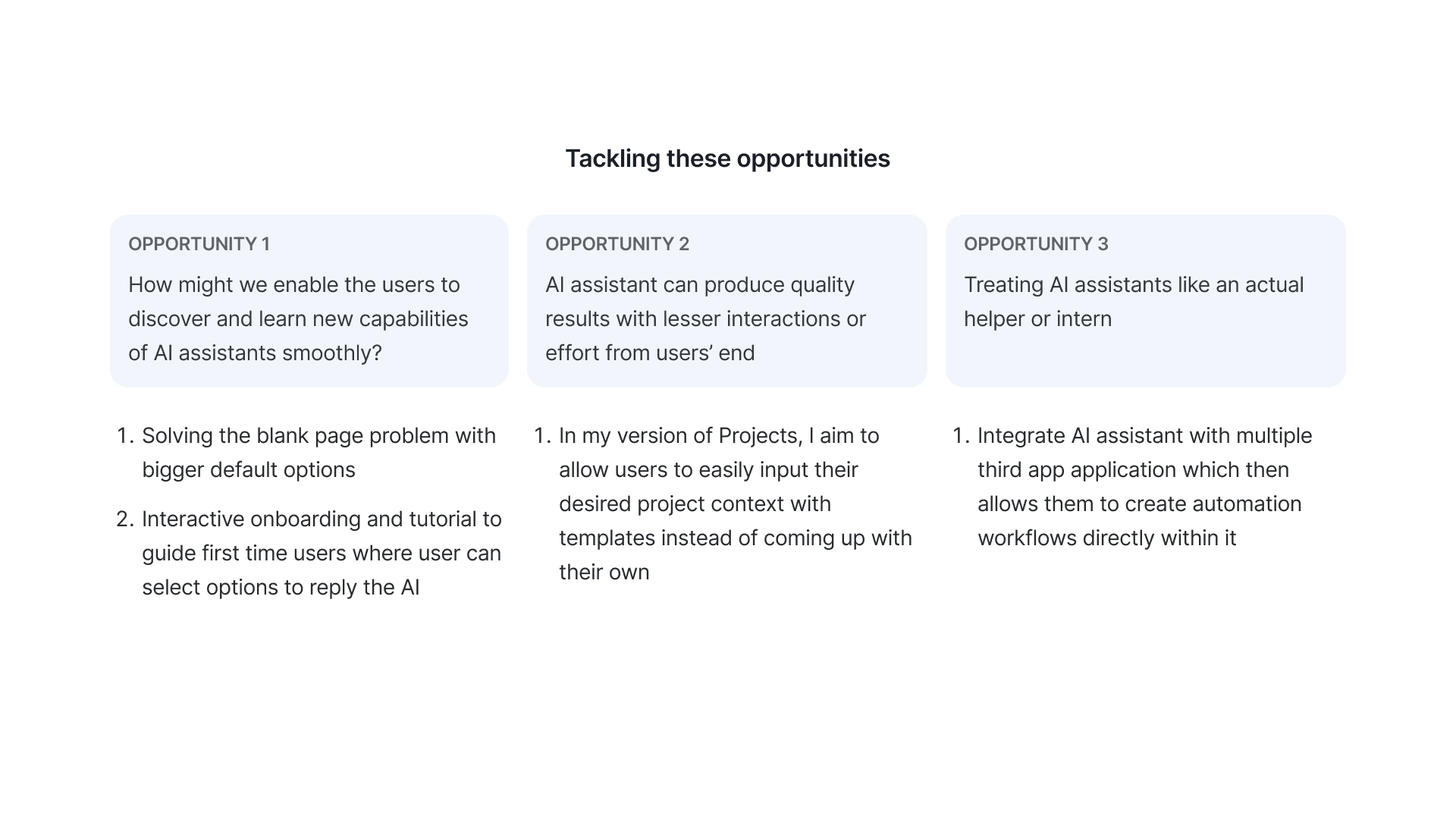
Transforming these pain points to opportunities
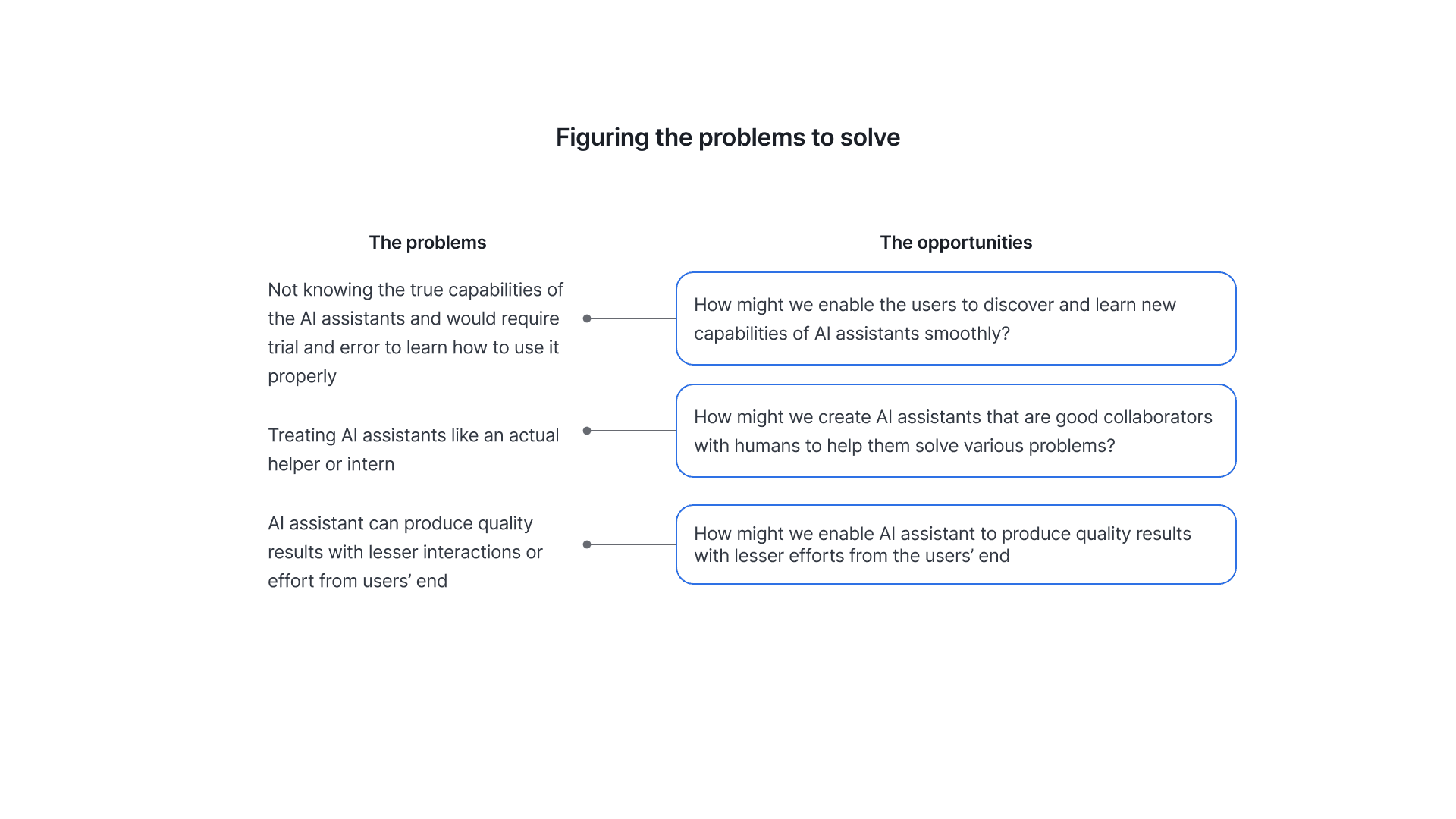
There were a few problems revealed in both the interviews and surveys but mostly align with my initial assumptions. I chose three problems that aligns with mine and also possible to solve through design. Some problems mentioned in the research would be eventually resolved when the AI model is improved (which it did in late 2025).
Introducing Smart Potato
Figuring the solutions to each opportunities
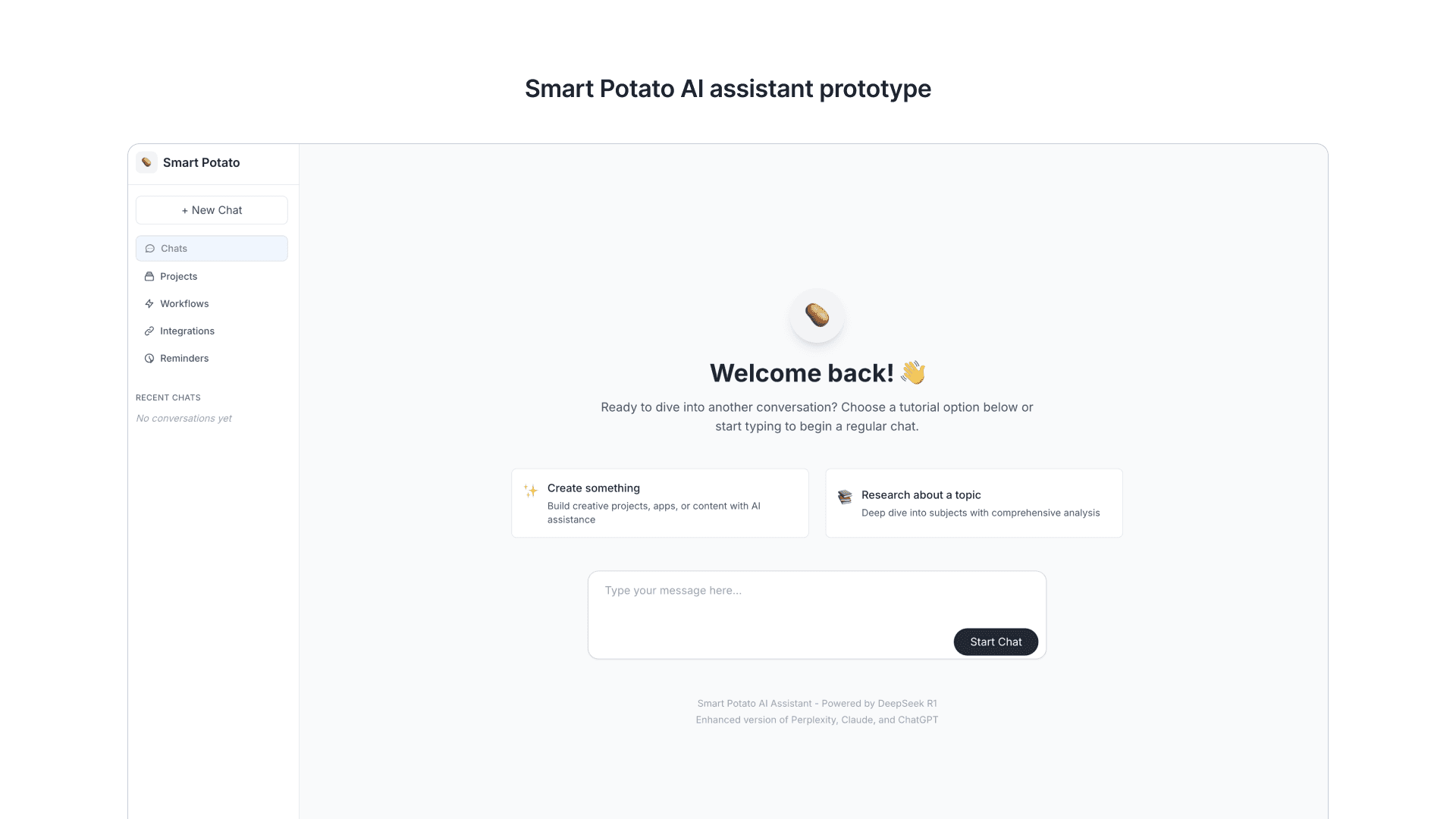
About Smart Potato
So instead of creating a Figma prototype, I decided to try out vibe coding the initial prototype and have the users goes through an actual functioning prototype. It was a fun experience!
Deepseek R1 as the LLM for the AI assistant
Try it out on https://smart-potato.vercel.app/
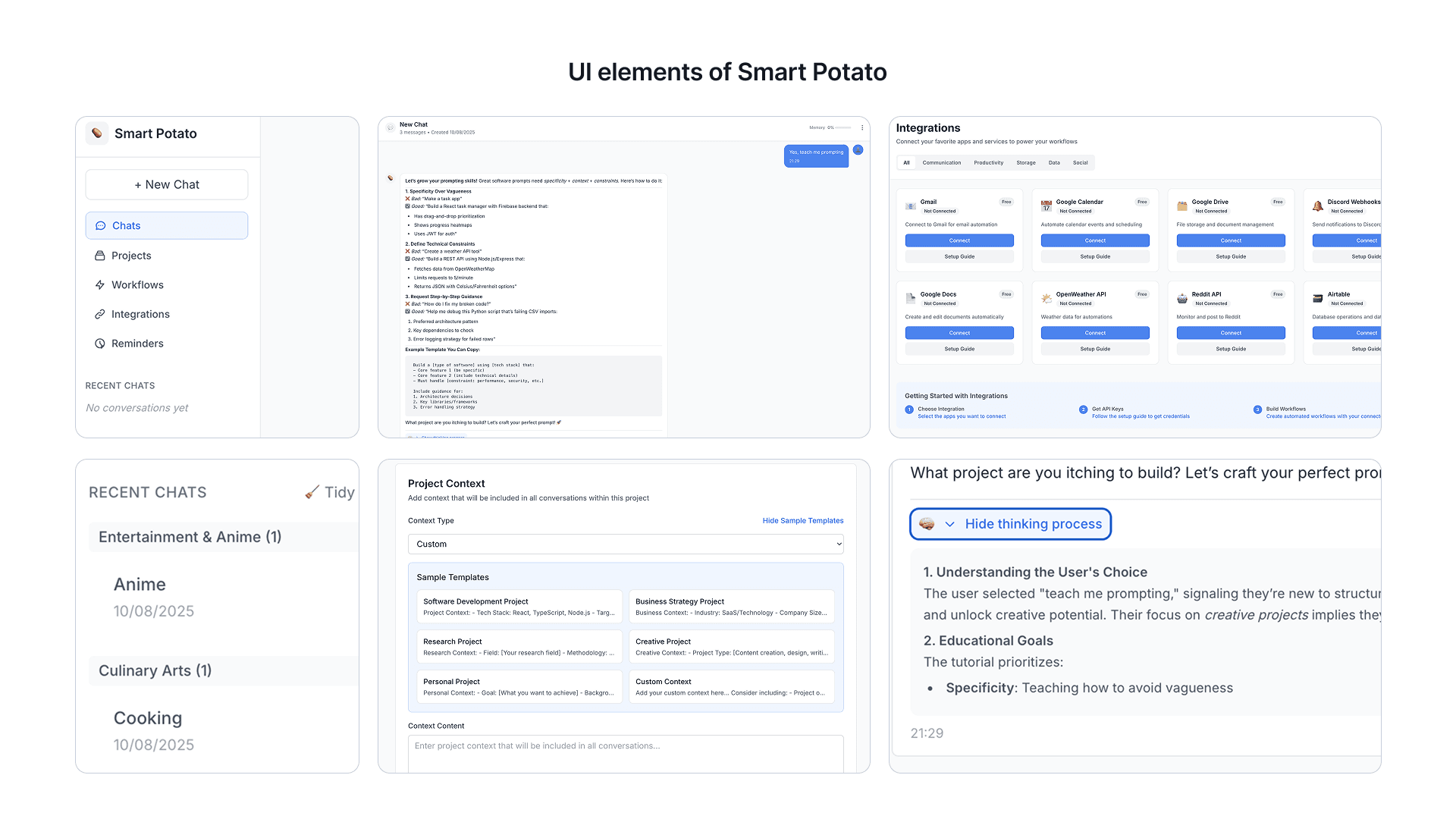
Additional elements I added to the final prototype
Tidying the endless list of chats
Chat reminders
Ability to show thinking process for each conversation to better support the narrative of creating a more collaborative AI assistant.
Insights from the test
I tested with 5-6 users remotely through a call. Here are some of the insights I summarised.
This AI assistant enables me to write better and effective prompts than other AI assistant
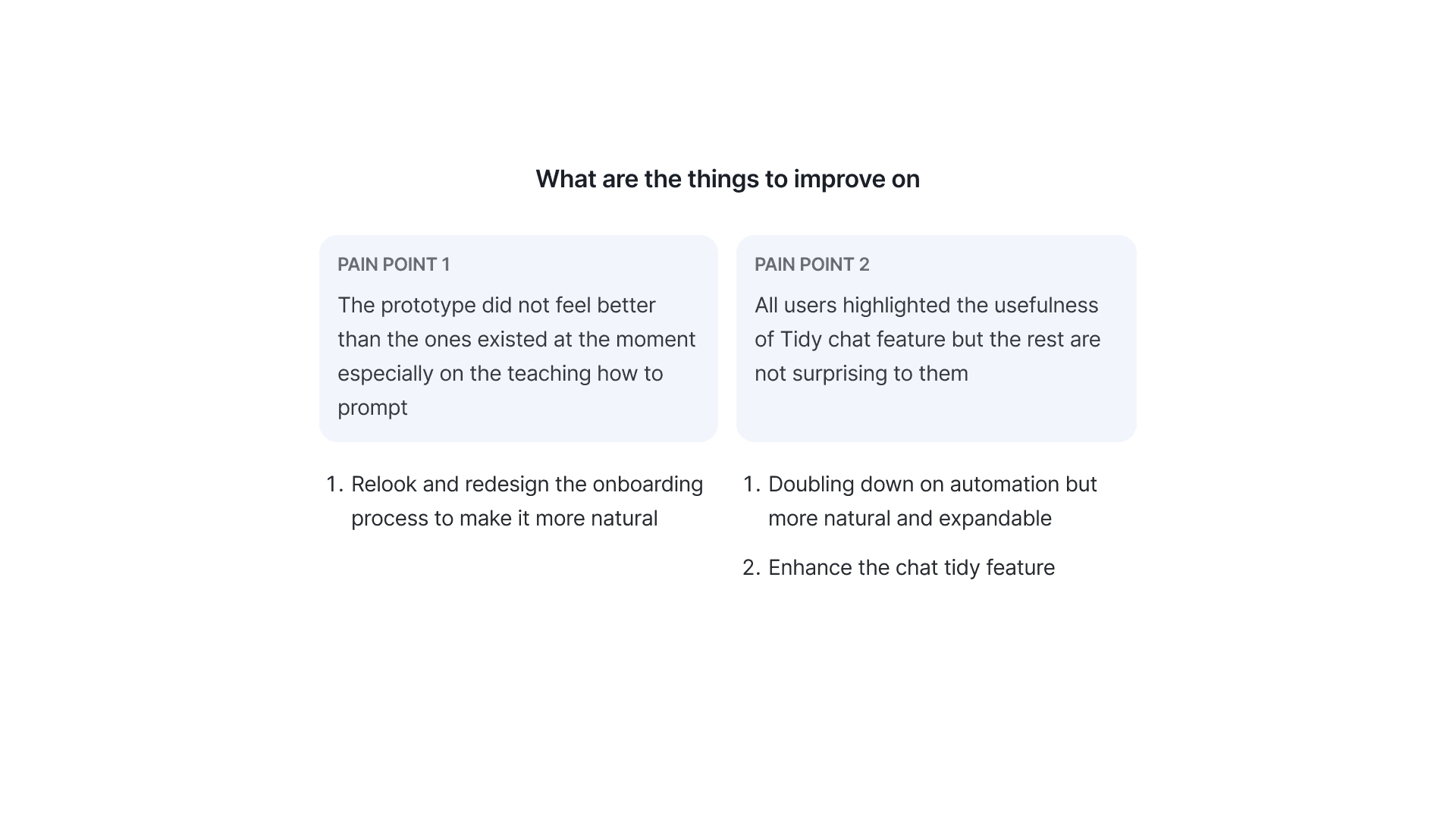
Most users who chose neutral felt that it had similar function as modern chatbots but it did not feel better than them at the moment especially on the teaching how to prompt
This features introduced in this AI assistant enables more collaboration between me and the AI compared to the other tools
Most users don’t use Projects or features that are similar in their usual AI assistants so they feel Projects help a lot in terms of collaboration with the AI. Being able to set context and adjust memory is something that contributes to the collaboration
Overall satisfaction with this AI assistant prototype
Generally all users think it is usable but lacks uniqueness compared to other AI assistants on the market in terms of look and feel. All users highlighted the usefulness of Tidy chat feature but the rest are not surprising to them
Introducing Io
Io logo and brand assets
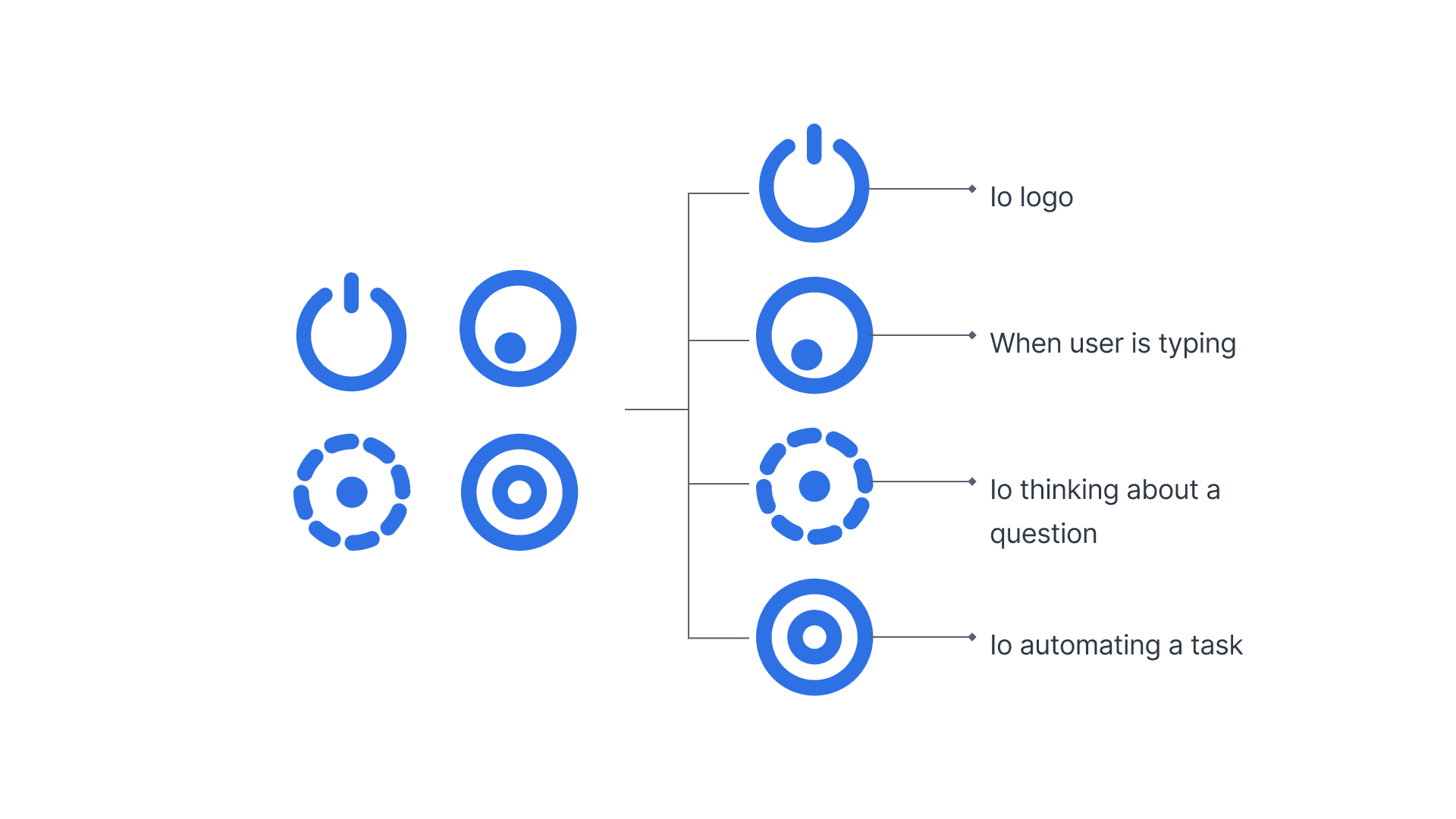
The name Io and its logo
I renamed the initial prototype from Smart Potato to lo. Inspired from the sci-fi story called "The Very Pulse of the Machine" which features a lot of interesting poems.
It aims to blend science fiction with literary elements mirroring the AI here trying to understand its users in order to help them out.
I use the input and output symbol that most people were familiar with regardless of their tech savviness. It also paints the process of user creating input prompts to communicate with AI assistants and the AI outputs the result.
Giving Io a little personality
Besides being a logo. It also act as a loader for heavier task that requires longer processing. It will shapeshift react to certain prompts from the user so that it feels more connected to the user.
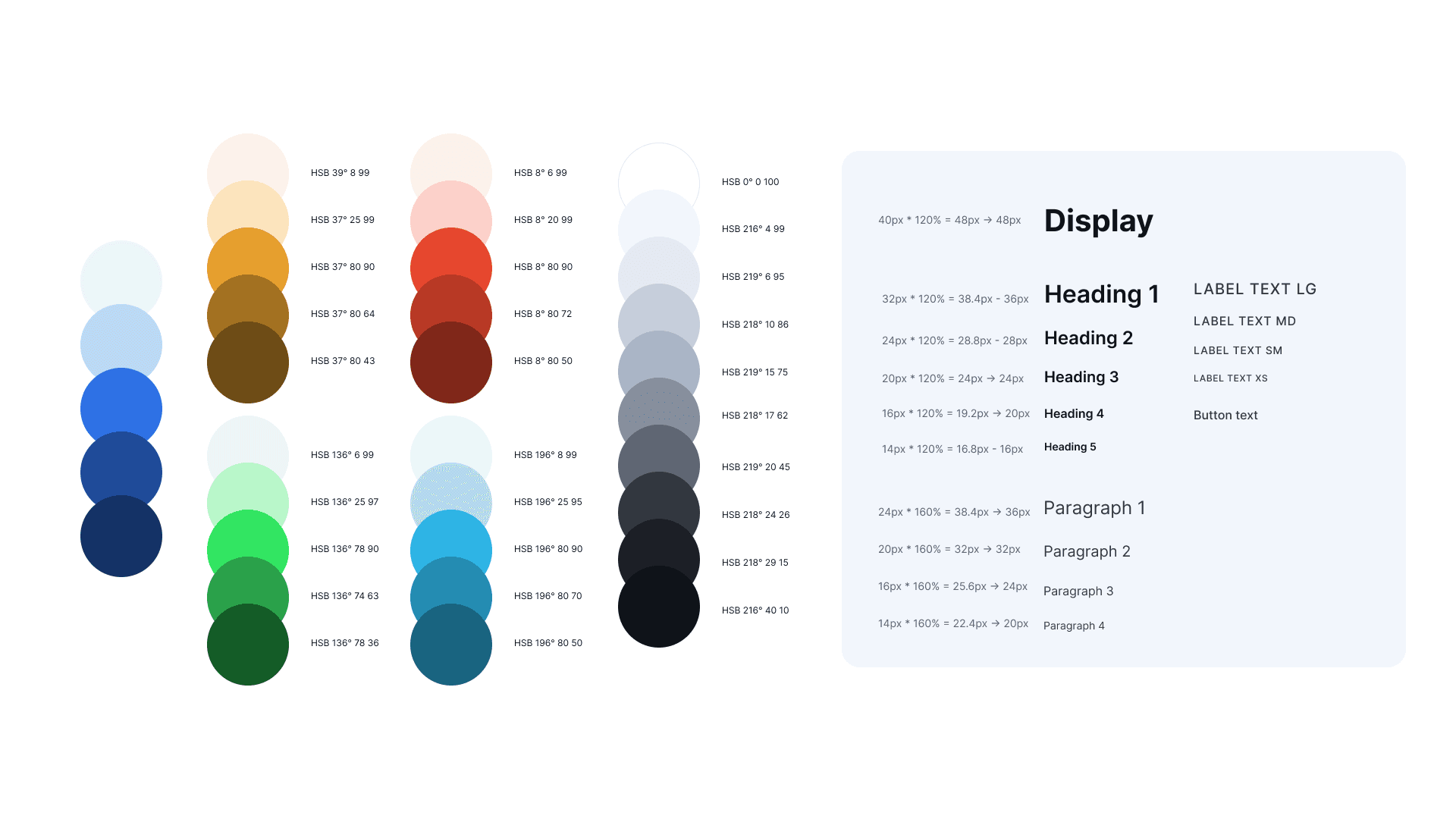
Blue was chosen as Io’s brand colour as it symbolises trustworthiness. It was also a colour that was not adopted by the major competitors at the moment so it would help to differentiate Io from the rest of the AI assistants.
I kept the typography to Inter as it was best designed for digital screens and since Io would going to be on digital screens only even on mobile phones.
Io's UI design
A refreshed look and feel for Io
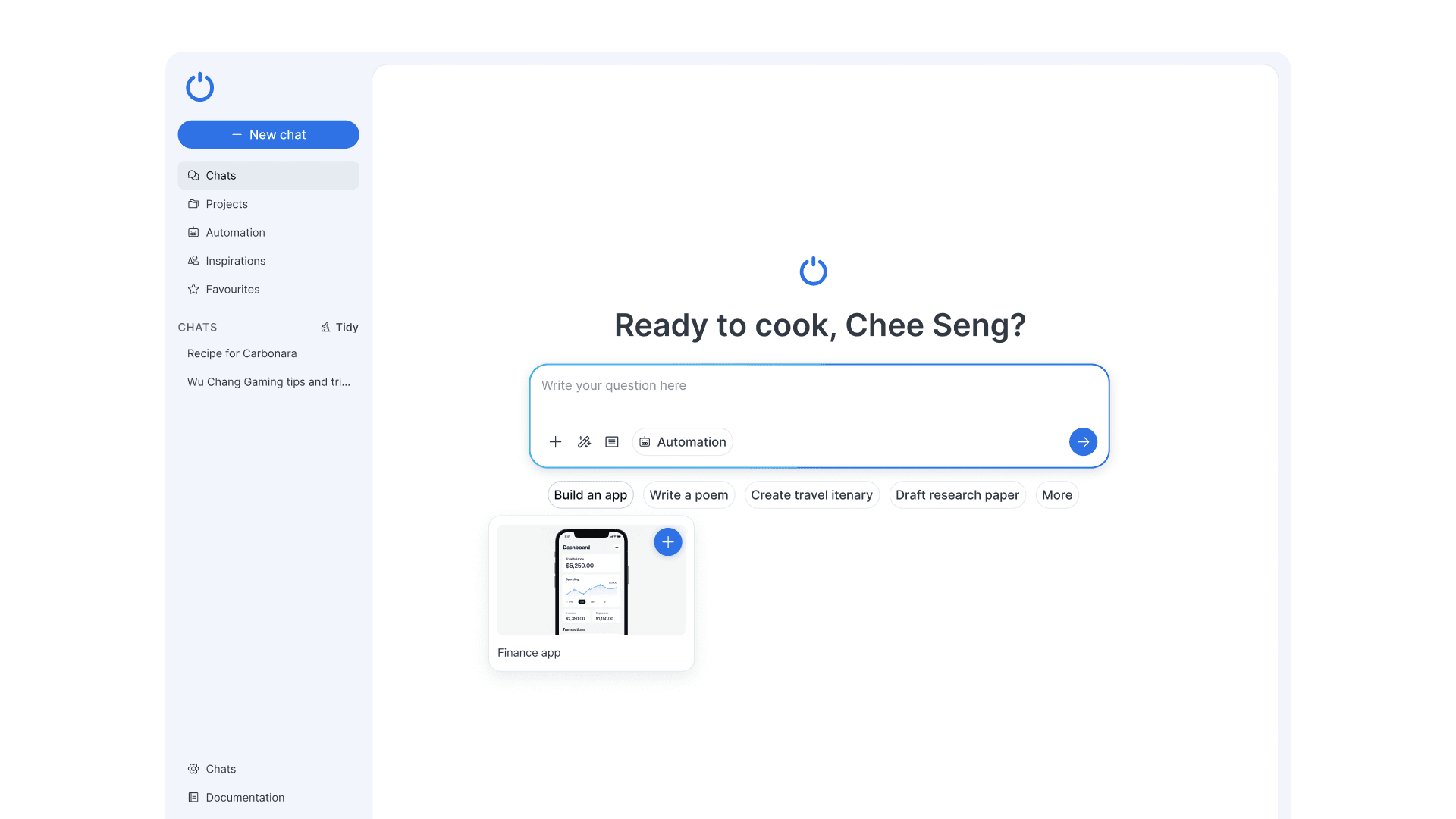
Vibrant but not overwhelming UI and the sample ideas are still there but not as prominent. Users would already have some questions they would want to ask so making the main prompt area prominent was encourage.
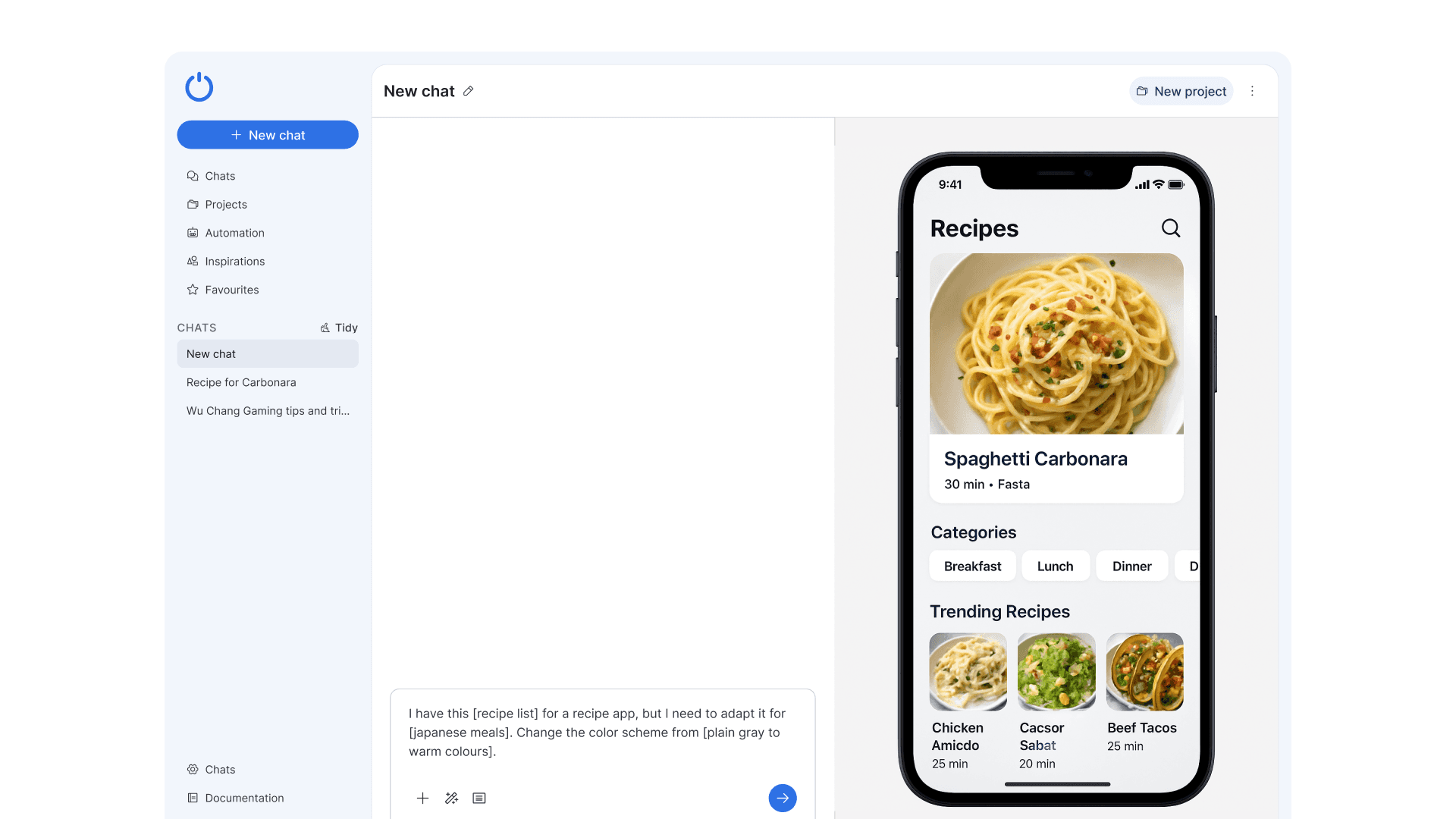
When the user selects an pre-suggested ideas the prompt is pre-written for the user but leaves out the details for the user to replace it with their own ideas.
One click prompt suggestion
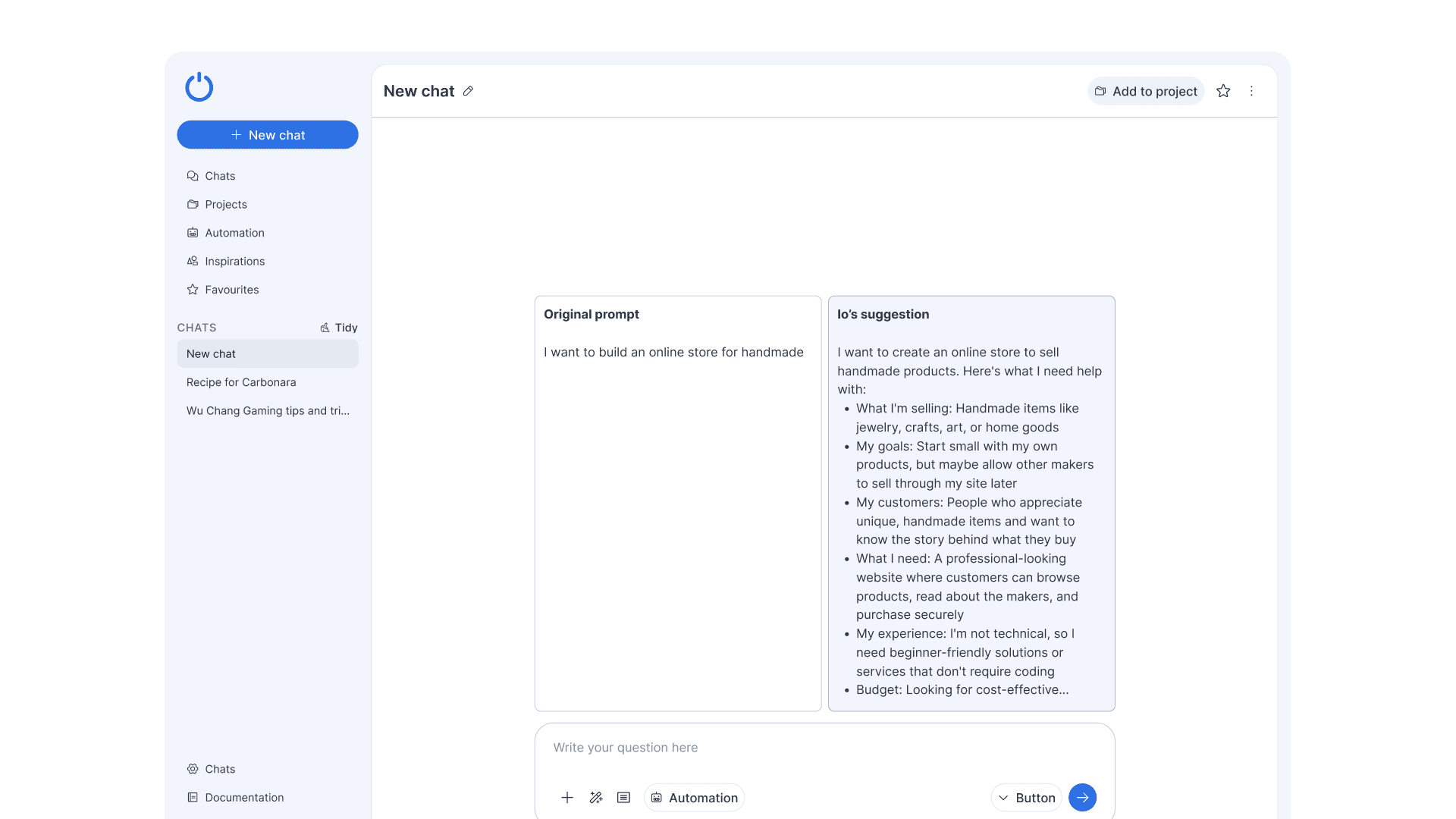
Instead of a complex and overwhelming guide like the one in the first prototype. I decided to make it extremely straightforward and simple. User just had to click a button called improve prompt and Io will rewrite a new one based on the user’s initial prompt.
Natural language task automation
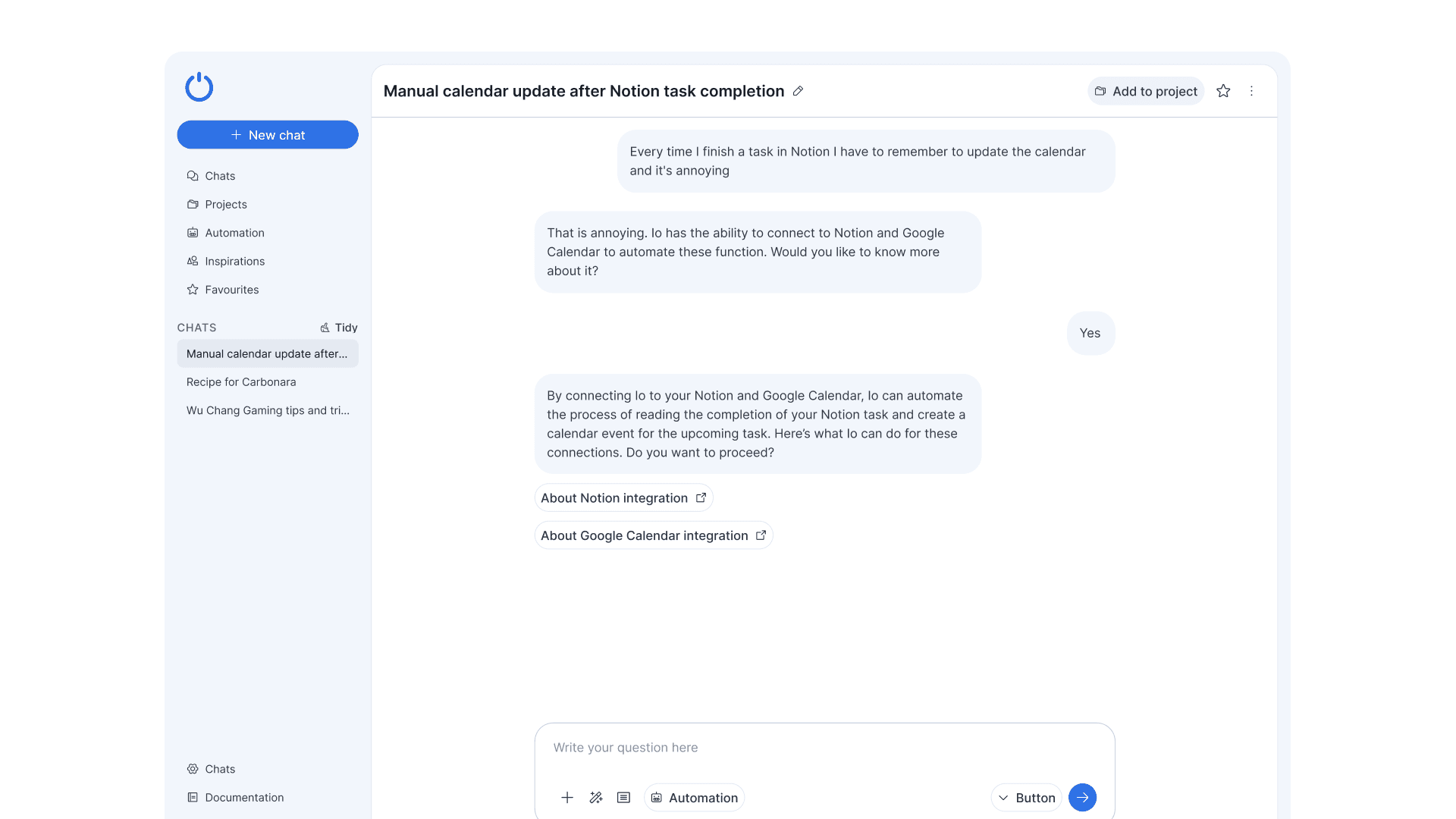
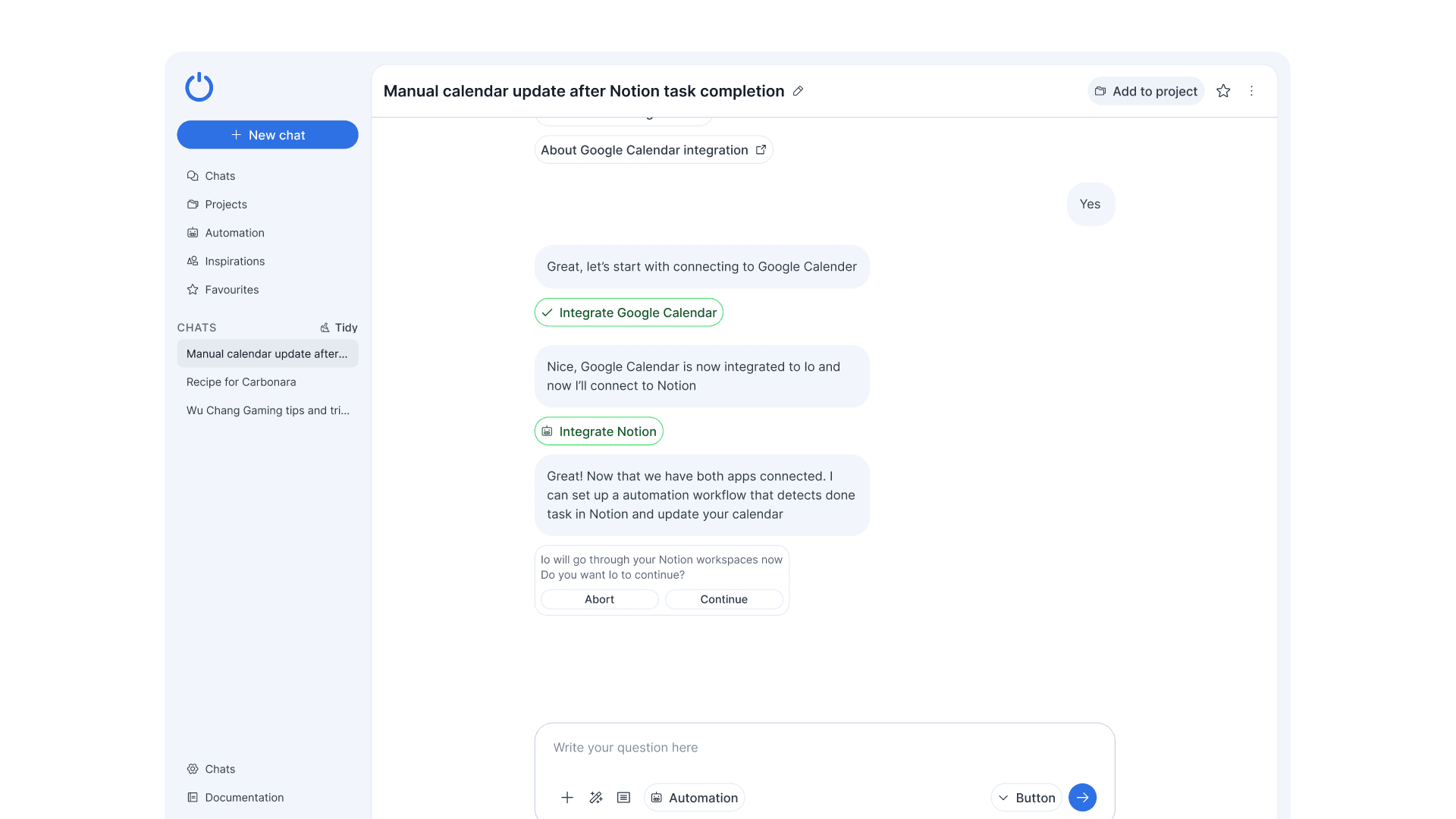
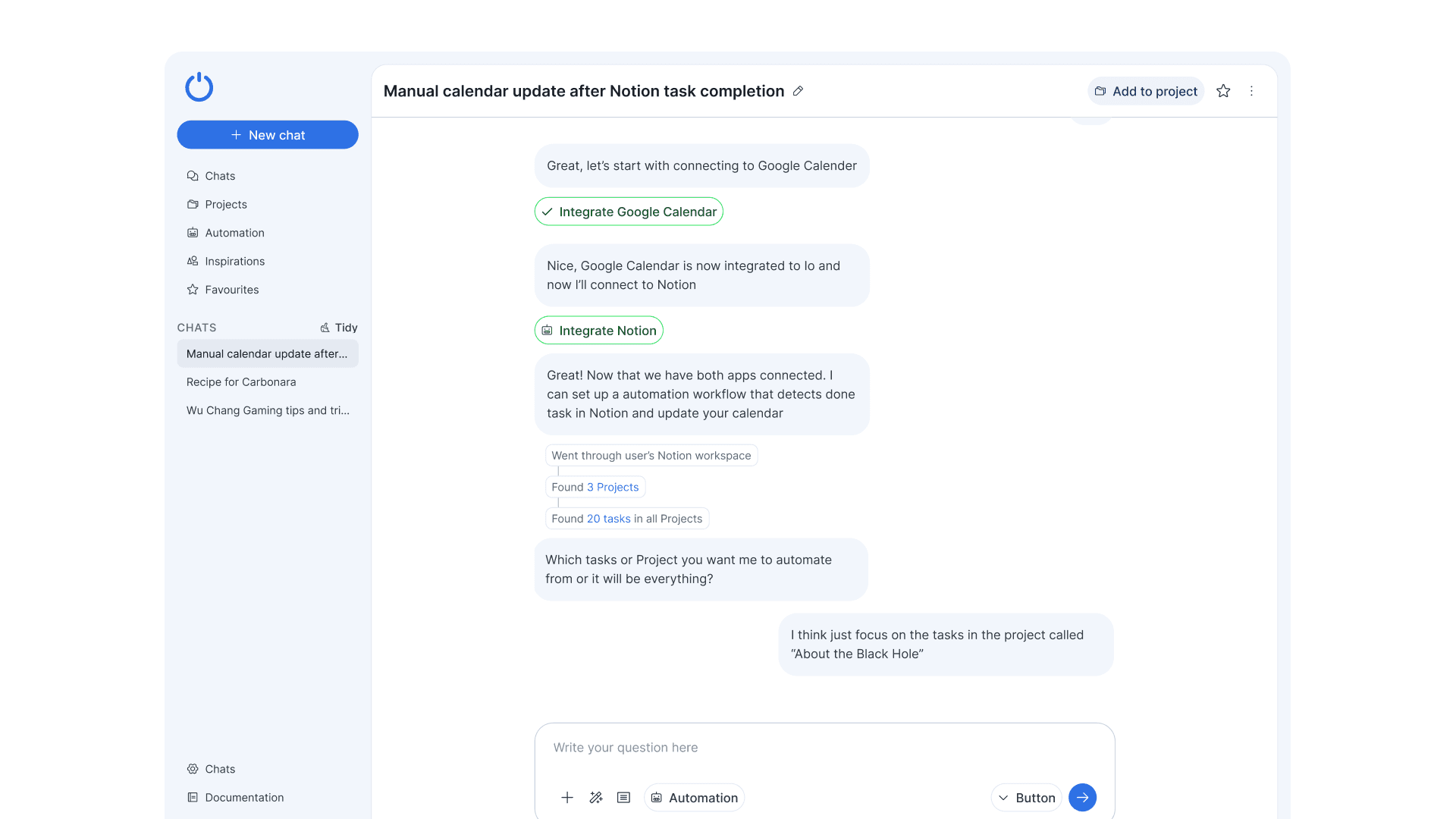
Io would suggest to connect to other apps directly in the chat instead of only going to a page. It aims to become a true assistant to the user and not just an app or software.
In the example shown above the user was talking about how annoying it was to update the calendar to mark the completion of a certain task in Notion.
Creating recurring automation
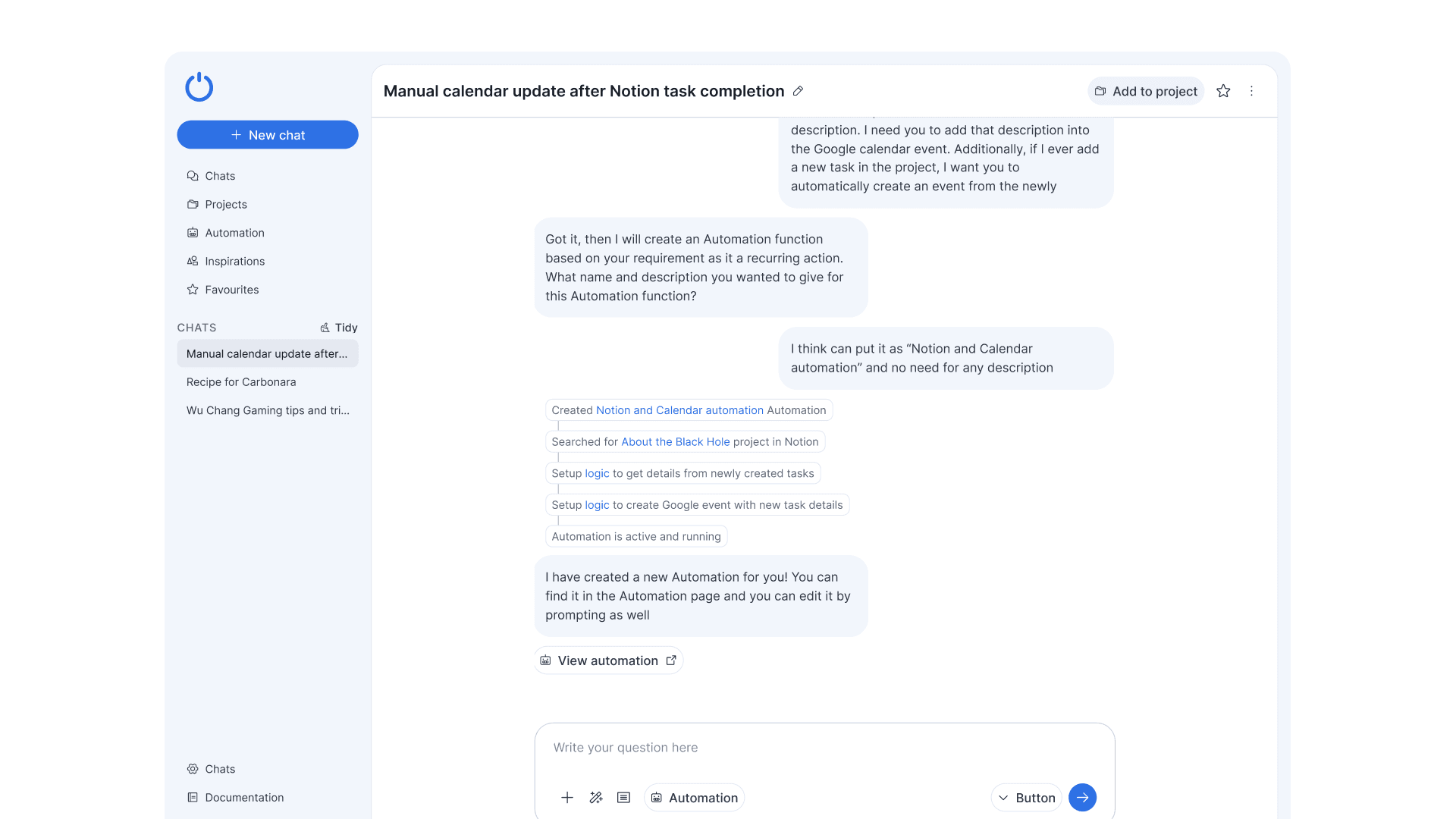
In this example, the user wanted to continue to enhance the automation that was just created into something that would repeat itself. The difference now was that Io would be creating an item called “Notion and Calendar automation” which could be found in Automation listing page later.
Improved chat management interaction
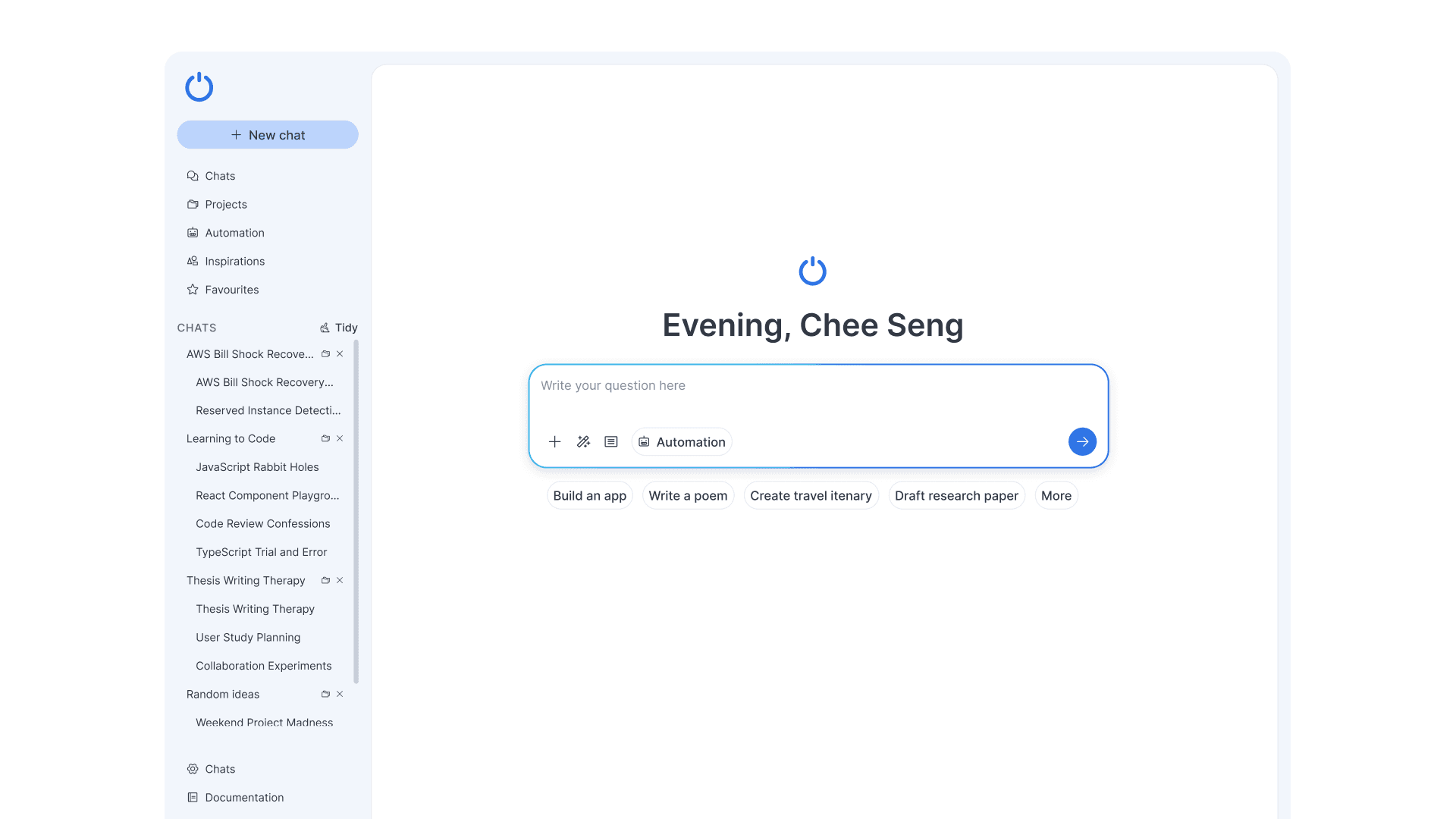
The last thing here was the improvement towards the existing tidy chat feature. This feature was liked by all users who tested it and the only thing here I added was that instead of just organising into relevant groupings. The user could also create new Projects with them easily with the one click.